HOW TO ORDER
Order Guide
New to Dragon Group? Follow this simple step-by-step guide to place your order and get your premium gear delivered to your doorstep.
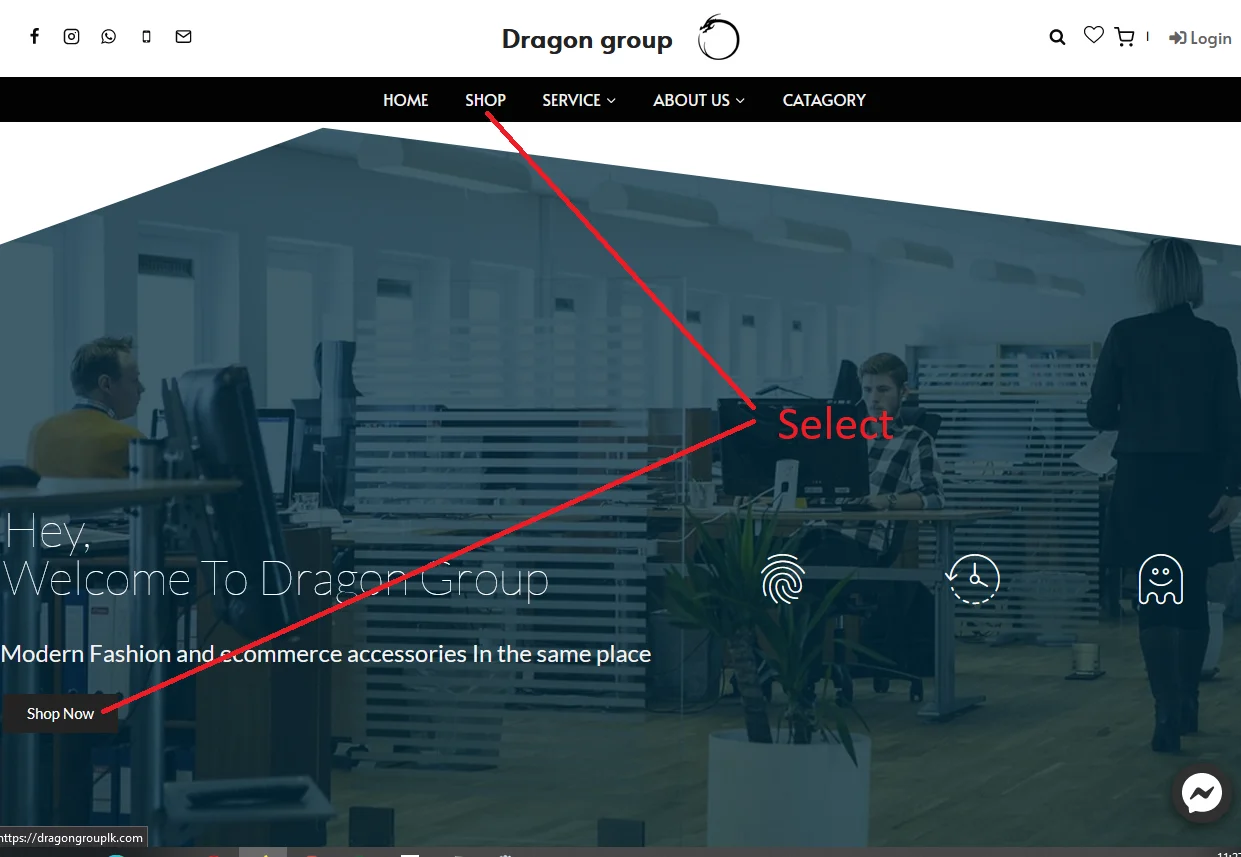
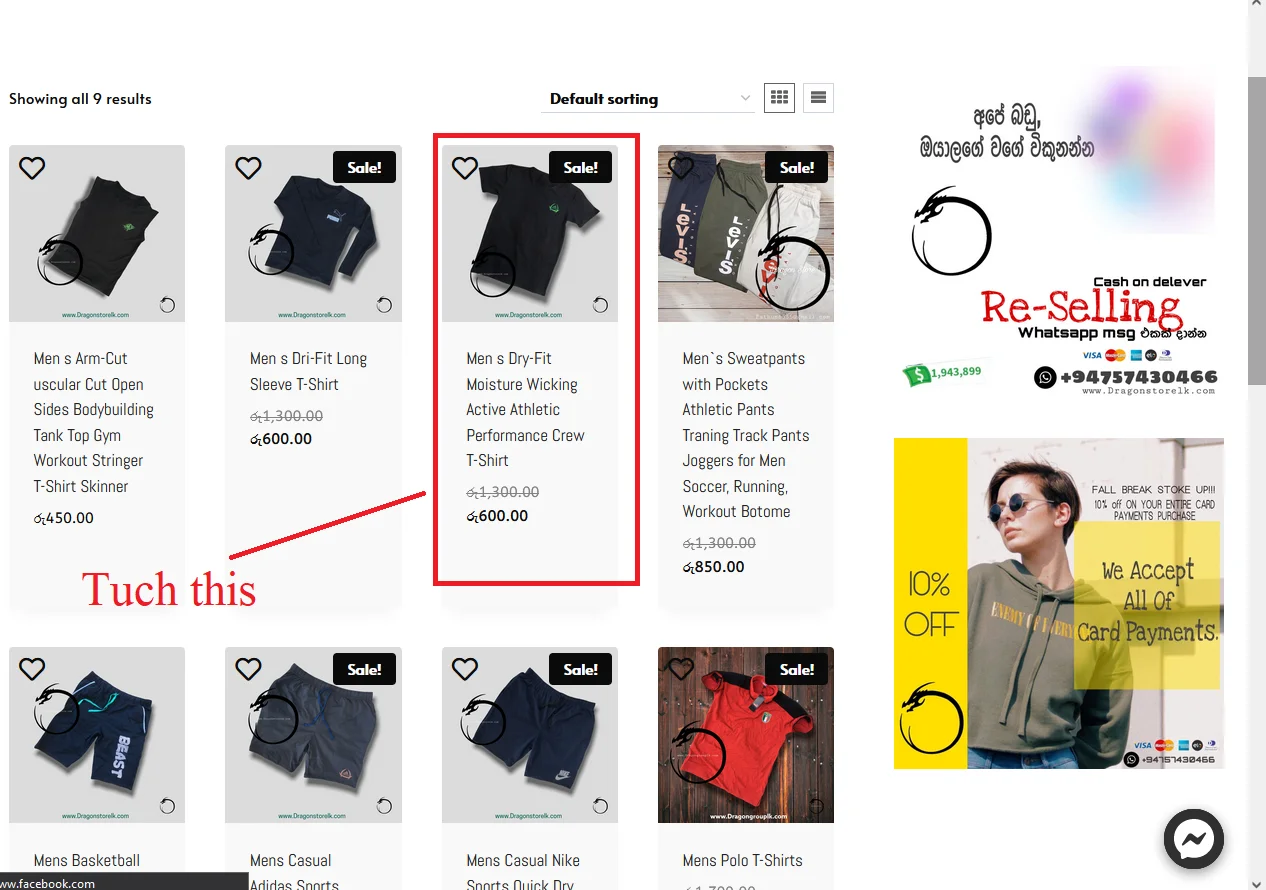
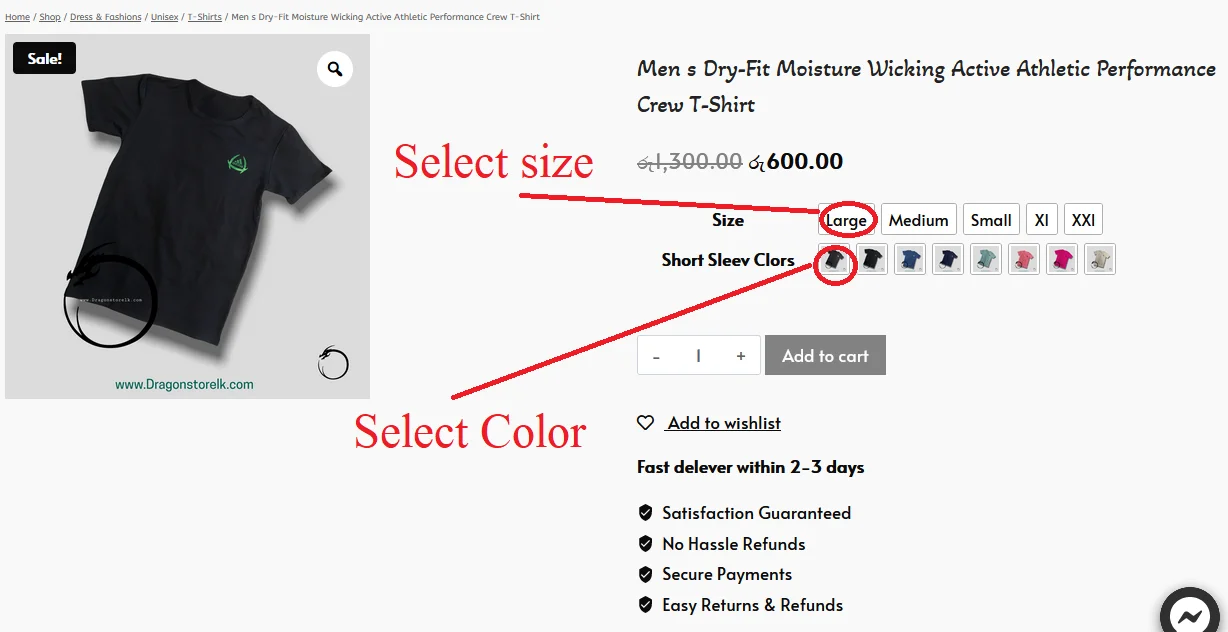
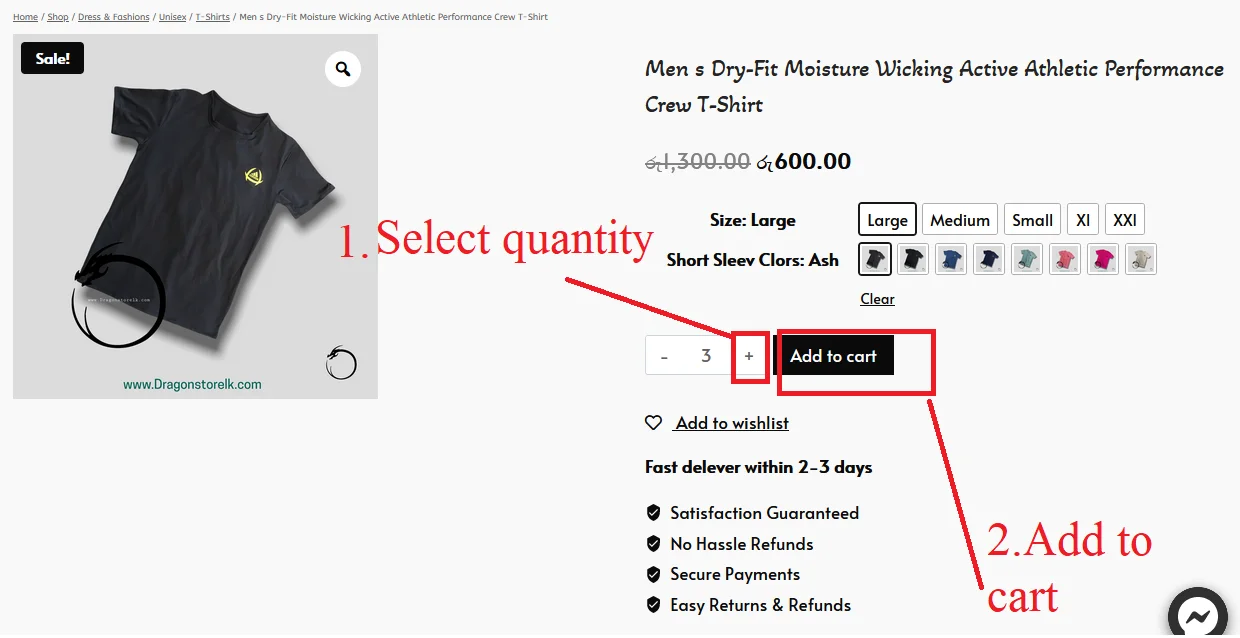
How do I order from the website?
Website Link –
www.dragongrouplk.com
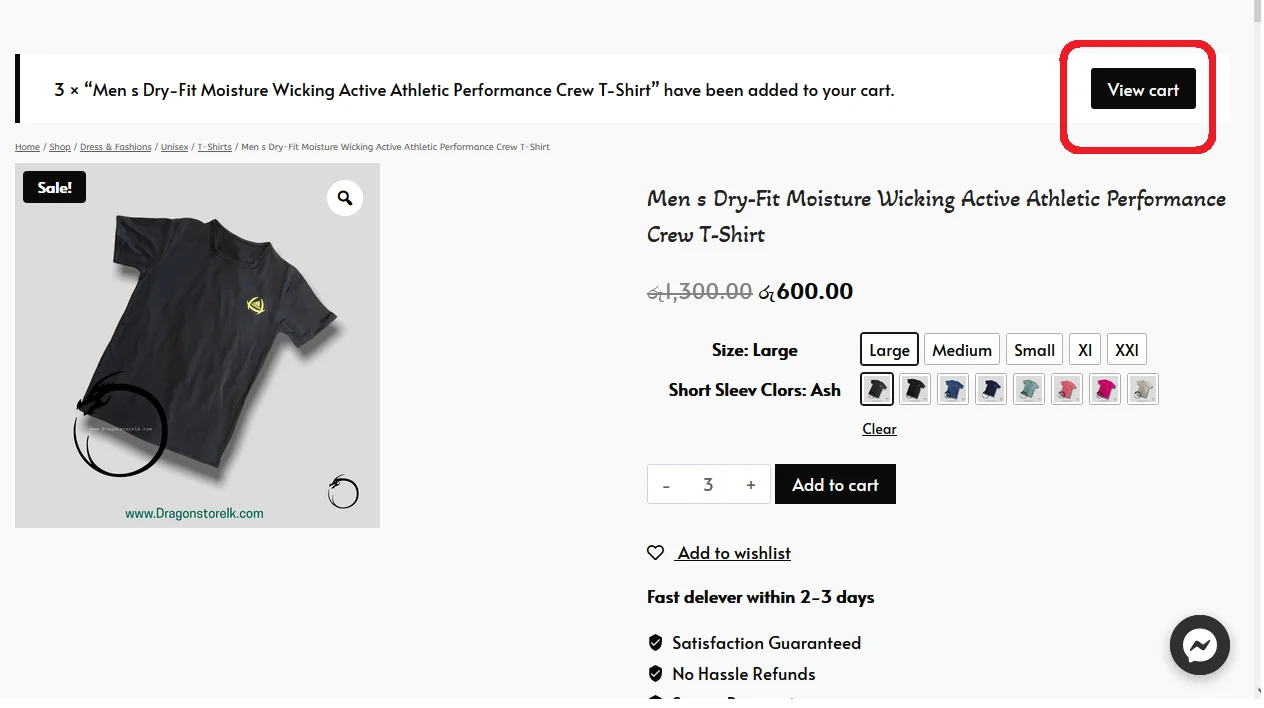
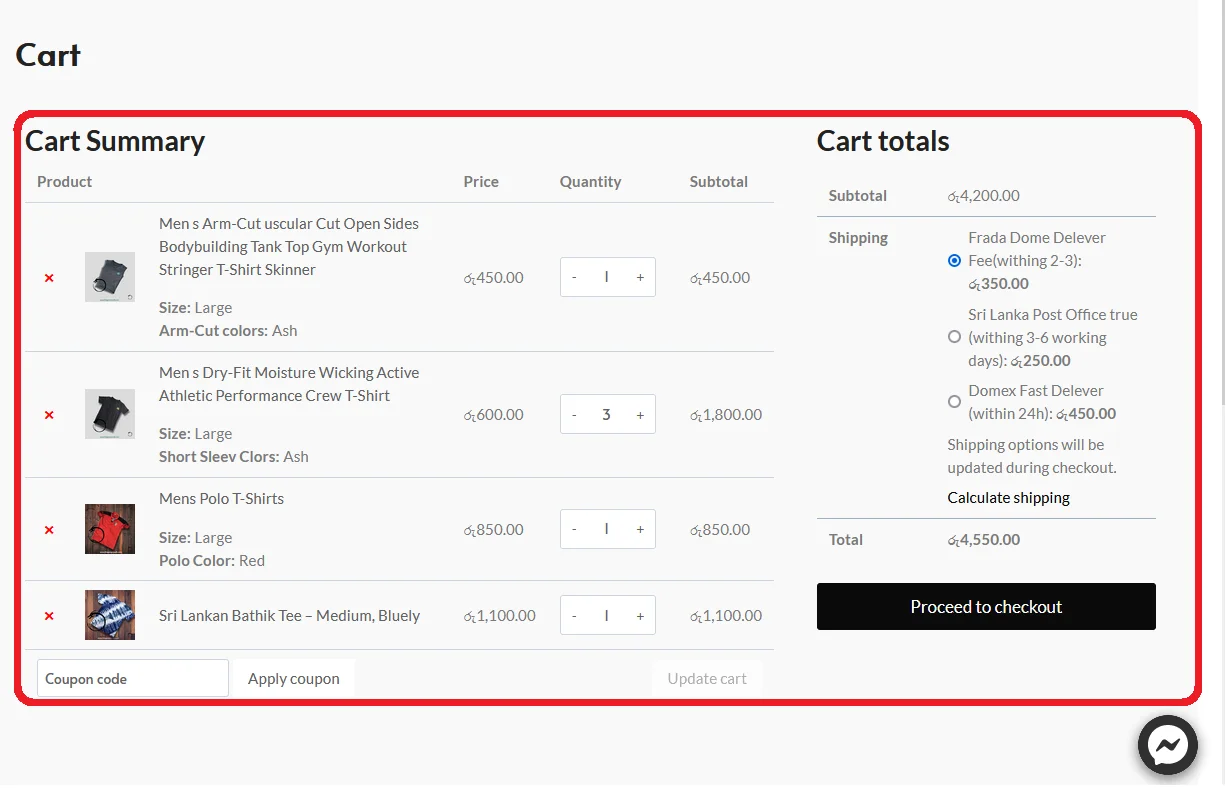
Now every product you added will be displayed in your cart.
Finally, provide your “Address details”, select the payment method and place the order.
Need help?
Contact us at
for questions related to refunds and returns.